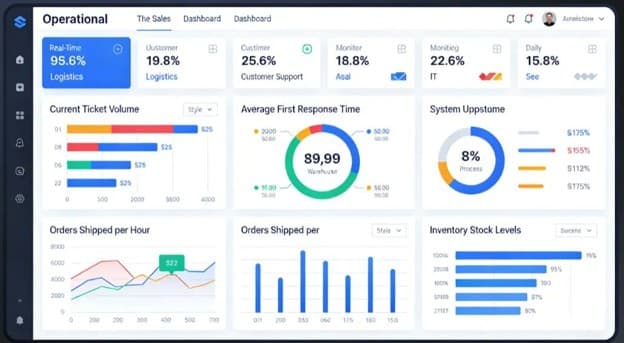
The Way Businesses Work Is Changing
For years, businesses have relied on familiar processes.
Someone fills out a form. Another person checks it. Someone enters the information into Excel. A manager reviews it. An email is sent. Another department updates its own records.
It works — but it takes time.
And as a business grows, these small manual tasks can become a significant drain on productivity.
A missed approval can delay an order. A spreadsheet error can affect a report. Manual attendance records can create payroll problems. Managers can spend hours collecting information before making a decision.
This is where the shift from manual processes to smart operations begins.
Digital transformation isn't simply about buying new software. It's about changing how work gets done so technology can handle repetitive tasks, connect information and help people make better decisions.
What Are Manual Processes Costing Your Business?
Manual work doesn't always look expensive.
· A few minutes spent entering data here.
· A few minutes checking a report there.
· A few emails between departments.
But multiply those activities across dozens of employees and hundreds of transactions, and the cost becomes significant.
Common manual processes include:
Data entry
Attendance and leave management
Purchase approvals
Inventory updates
Invoice processing
Production reporting
Expense claims
Customer follow-ups
Employee onboarding
Management reporting
The problem isn't that people are doing these tasks.
The problem is when people spend valuable time doing tasks that technology can perform faster and more consistently.
Automation: Removing Friction From Everyday Work
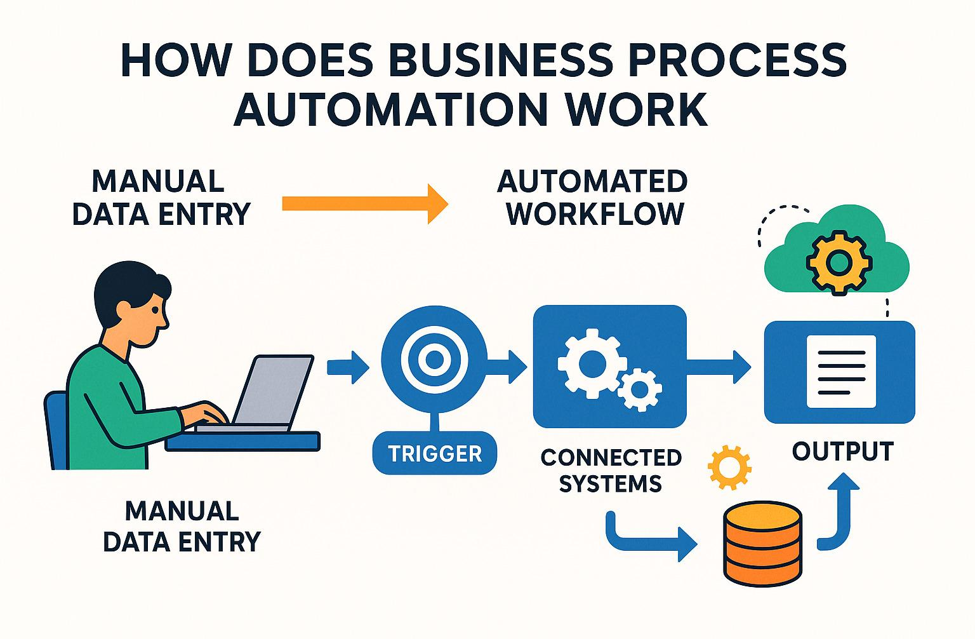
Process automation uses technology to move work through predefined workflows with less manual intervention.
Consider a simple purchase request.
Traditional process
Employee → Email request → Manager → Finance → Procurement → Purchase
There may be multiple emails, follow-ups and manual status updates.
Automated process
Request → Approval → Finance → Procurement → Status Update
Everyone can see where the request is and what needs to happen next.
The objective isn't to eliminate people. It's to eliminate unnecessary friction.
Where Automation Makes the Biggest Difference
Not every process needs to be automated immediately.
The best starting points are usually processes involving:
High volume + repetitive work + frequent errors + multiple approvals
HR
Attendance
Leave requests
Payroll inputs
Employee onboarding
Finance
Invoice workflows
Expense approvals
Payment requests
Financial reporting
Sales
Lead management
Follow-ups
Sales reporting
Customer records
Operations
Work orders
Inventory updates
Production reporting
Task assignments
Management
KPI dashboards
Performance reports
Alerts
Executive summaries
Automation can make these processes faster while also improving visibility.
Productivity Isn't About Working More
One of the biggest benefits of automation is productivity improvement. But productivity doesn't mean asking employees to work faster. It means removing unnecessary work.
Imagine an employee spends 30 minutes every day preparing a report. That's around 10 hours every month. Across 20 employees, that's roughly 200 hours a month spent on one type of repetitive activity.
If technology can automate much of that work, those hours can be redirected toward activities requiring human judgment, creativity and problem-solving.
That's where automation creates real value.
Don't Automate a Bad Process
One of the most important rules of digital transformation is: Don't automate a broken process.
If a workflow has unnecessary steps, simply putting software around it doesn't make it efficient.
Before automating, ask:
Why do we do this?
Can any steps be removed?
Who really needs to approve it?
Can two systems be connected?
Can the workflow be simplified?
Then automate the improved process.
Simplify → Digitize → Automate → Optimize
The Human Side of Digital Transformation

Technology alone doesn't create smart operations. People do.
Employees may initially resist new systems because they are comfortable with existing processes. That's why digital transformation needs communication and training.
People need to understand how technology helps them:
Less paperwork
Less repetitive work
Faster access to information
Fewer errors
Easier collaboration
Faster reporting
The goal should be to make employees think: “This makes my job easier.”
not: “This gives management another way to monitor me.”
Successful transformation happens when technology becomes part of the organization's culture.
Start With One Problem
Businesses don't need to transform everything overnight.
Start by identifying one process that:
Takes too much time
Creates frequent errors
Requires too many manual steps
Depends heavily on spreadsheets
Delays decision-making
Fix that process. Digitize it. Automate it. Measure improvement.
Then move to the next one.
The digital transformation journey is not about implementing everything at once. It's about continuously making the business smarter.
Coming in Part 2
In Part 2, we'll look at what happens after processes are digitized — how businesses can connect their data, introduce real-time dashboards, improve decision-making and build truly data-driven smart operations.